
How To Resolve SSL Issues
Having trouble getting your SSL resolved with GoDaddy and other service providers? Here are some basic tips on how you can get SSL (Secure Sockets Layer) working with your domain name. The screenshots below are from GoDaddy, but you can apply to your hosting service.
How To Resolve SSL Issues
- Determine if you have SSL in your GoDaddy (or other hosting service) products.
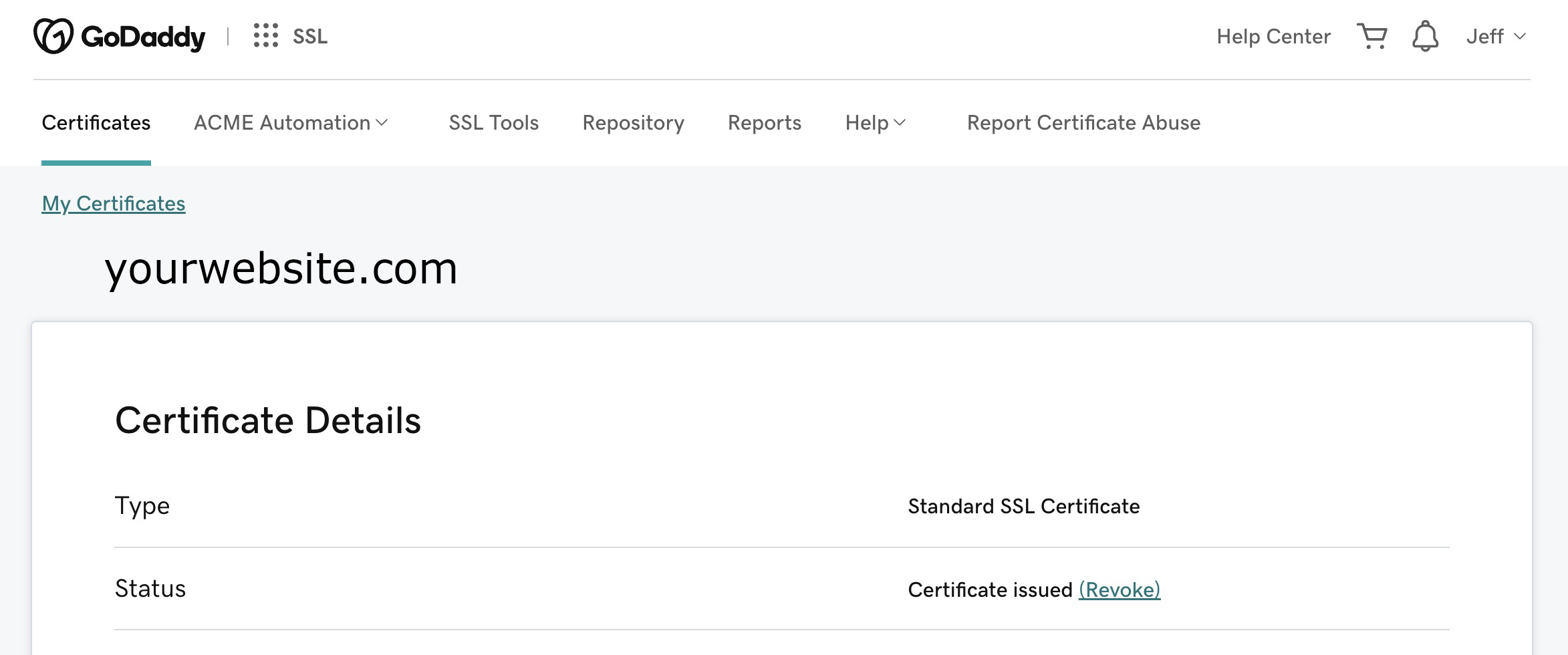
SSL is typically free with the first year of hosting. But, it’s possible it was not purchased. See your products to confirm. - Go to GoDaddy > My Products > SSL
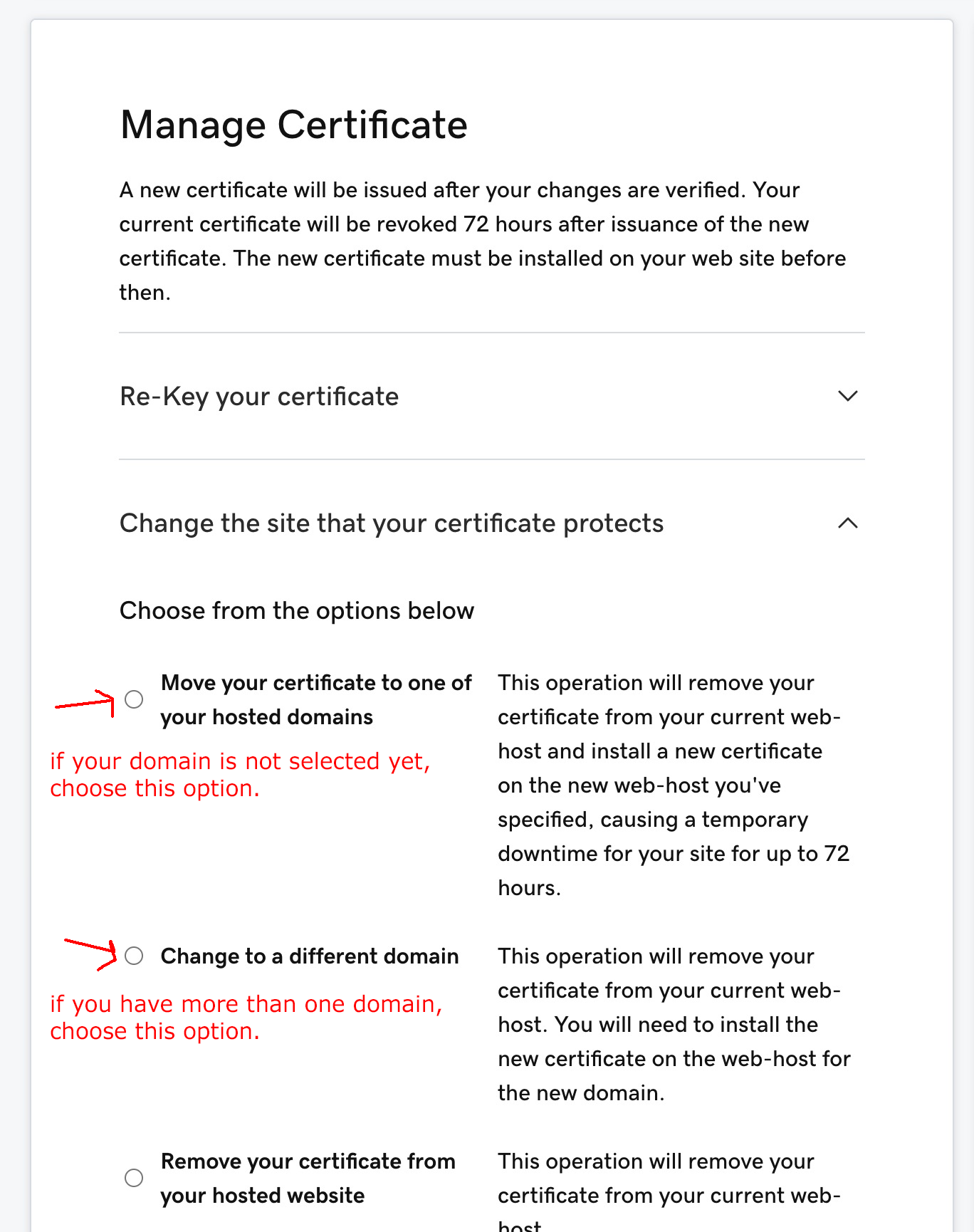
Make sure your domain is selected and correct. Your SSL may need to be applied to your domain, or switched if you have several domains. (see the screenshots below) - If you have a WordPress website, go to Settings > General
Be sure your URL for WordPress and Site Address is “https” not “http” (see the bottom screenshot) - If none of the above seem to help, you should probably contact your hosting provider.
Note: Be sure to give any changes to your SSL certificate or domain time to resolve. It could take several hours. And, use a new browser or fresh browser (cache free) because the old browser could be holding cache that conflicts with the changes.
SSL Product on GoDaddy
WordPress URL Address
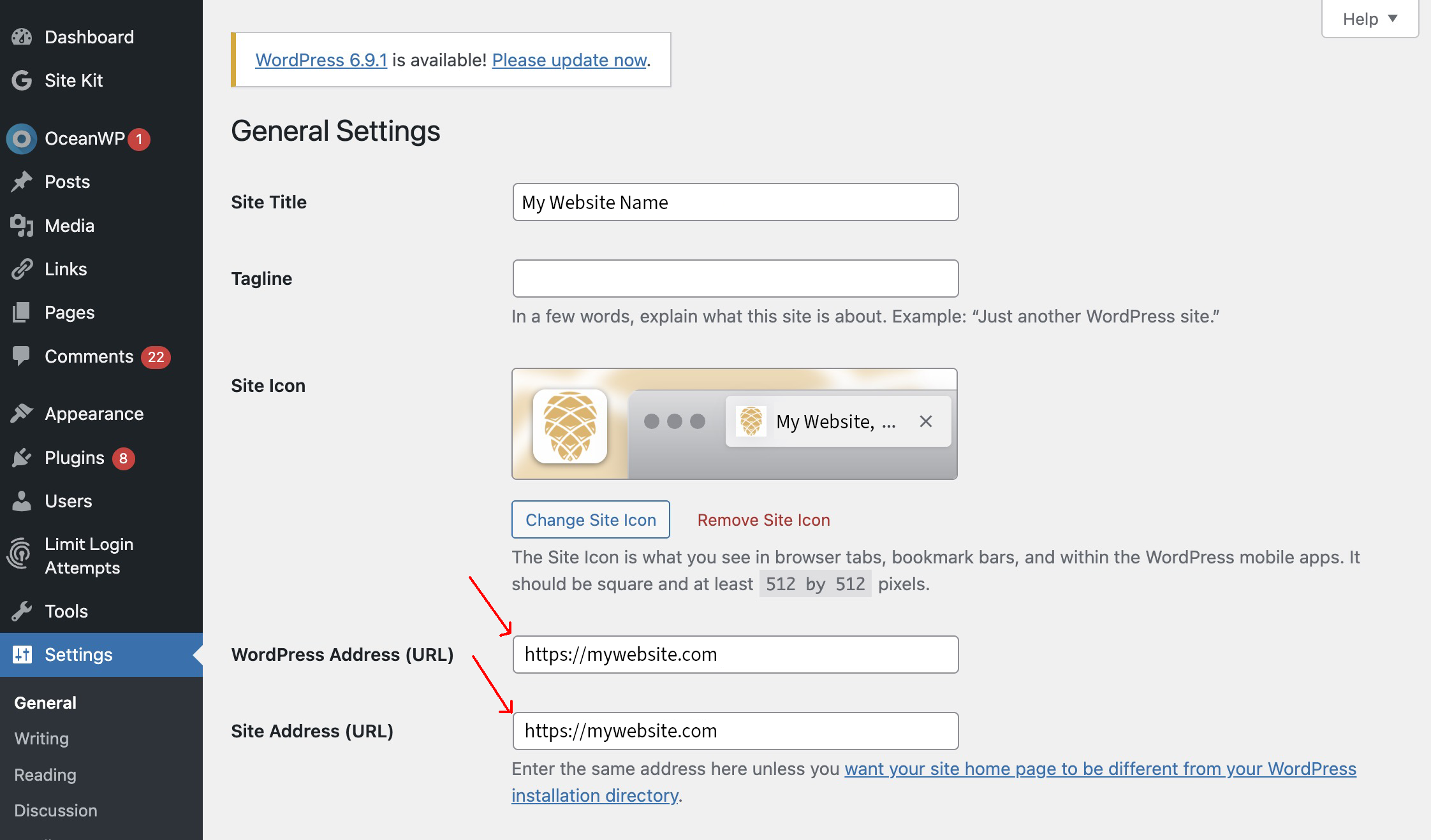
Image: padlock photo via UnSplash