Locked Out Of Your WordPress Website? Here’s How You Can Fix.
Have you accidentally locked yourself out your WordPress website either by changing to a bad email address, forgetting your username, or forgetting your password? If you forgot your password you can simply click on “Forgot my password” to receive an email and reset.
However, if you have entered the wrong email address upon installation of WordPress, retrieving the login information is not as easy. You’ll need to access the database connected to your WordPress website.
Keep in mind, a database is usually stored in a different location and server (on shared hosting) than your website files. But, with phpMyAdmin you can easily open the database file and manage it.
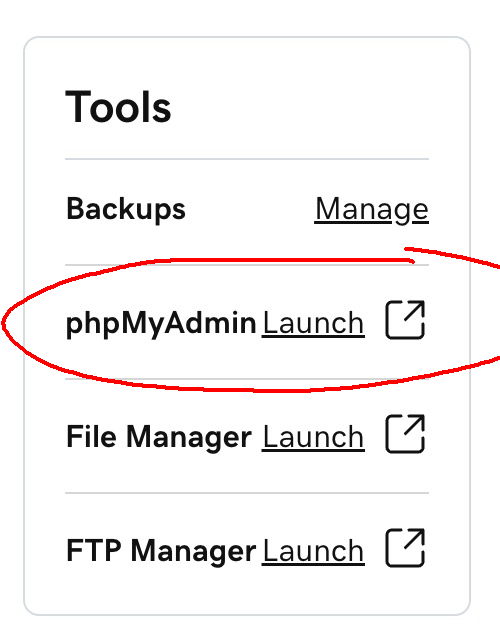
First, go to cPanel in your hosting plan. Then, go to phpMyAdmin (if you don’t see the app right away do a search for it).
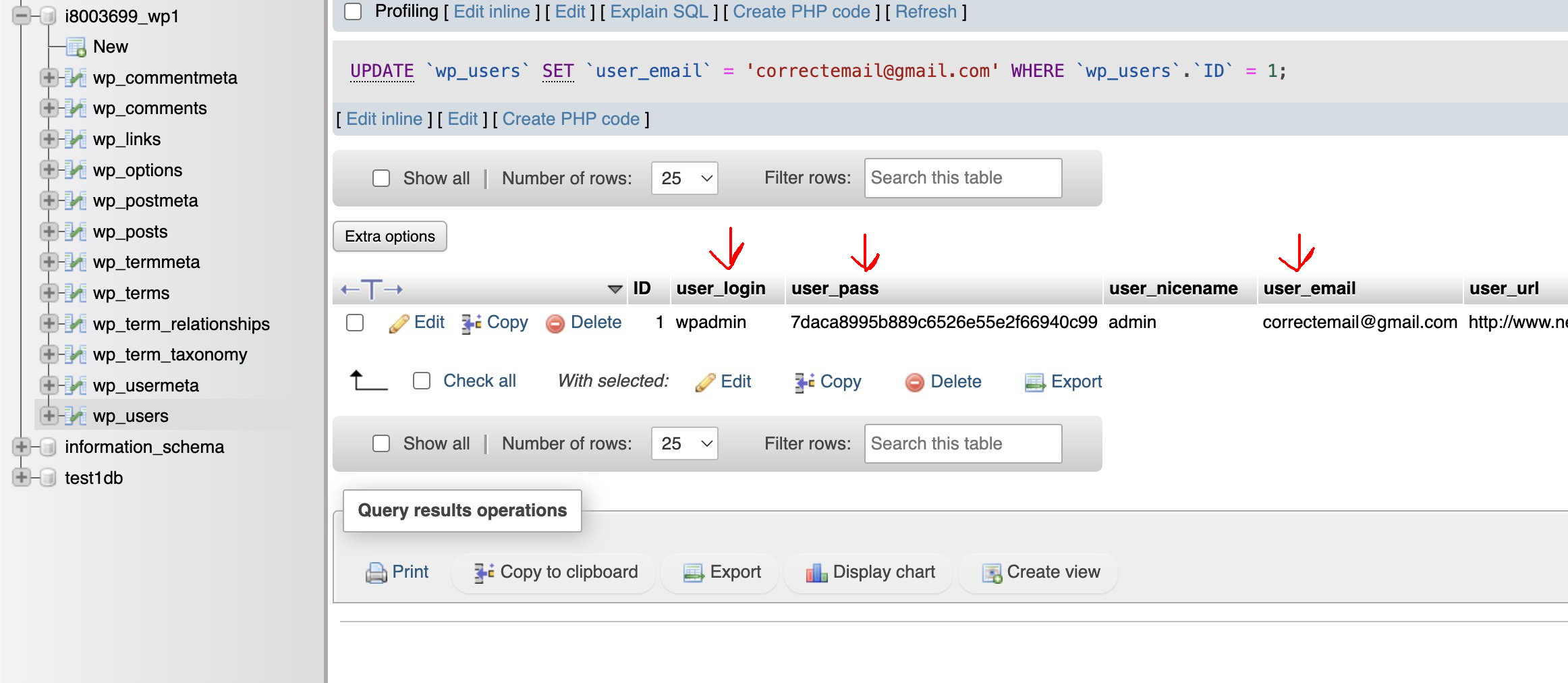
In phpMyAdmin open the database in the right column. Look for wp_users and you will likely see the user that was set up as the admin of the WP website. In the table row, look for the email column. Click in the table cell and make the edit to the database.
When making changes to other portions of the database you might have to click “Go” to have the page process.