How Do You Access All The Files On Your Web Host
This may be rudimentary for some users, but for others accessing web files on a server may be new.
There are two traditional ways to access ALL the files on your web space: FTP and through cPanel > File Manager). This is how you can backup, download, and upload files directly to your server.
There is also something called SSH using Terminal (Mac) or Putty (Windows), but we’ll cover that in another post.
WordPress allows you access the raw files through Appearance > Editor, or Tools > Theme File Editor, but those are just for the WordPress theme and not the entirety of the WP install.
Creating FTP users
When you purchase hosting the service automatically creates an FTP user. This allows you to use an FTP client like Filezilla to access files on a server. The FTP user is usually a “super user” — one that can access all the files on your server space.
If you are having trouble with the default FTP account or to make things easier you can create a new user. That user will only be able to access the folders you have allowed it to in the setup. It’s kind of like giving a house guest a key to your whole house, or giving them a key to specific portion of the house.
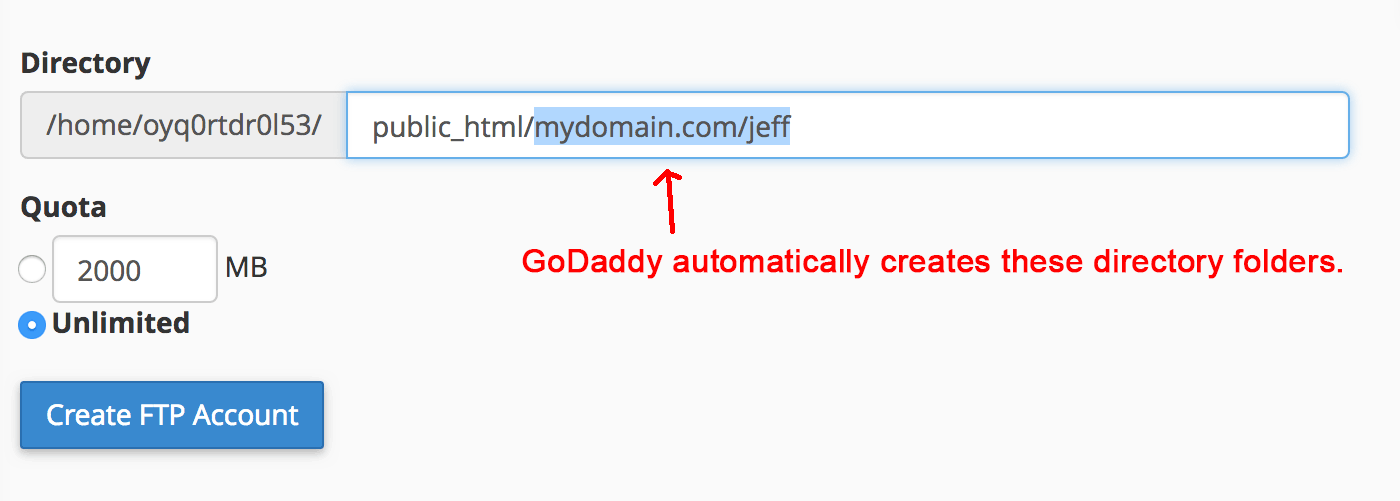
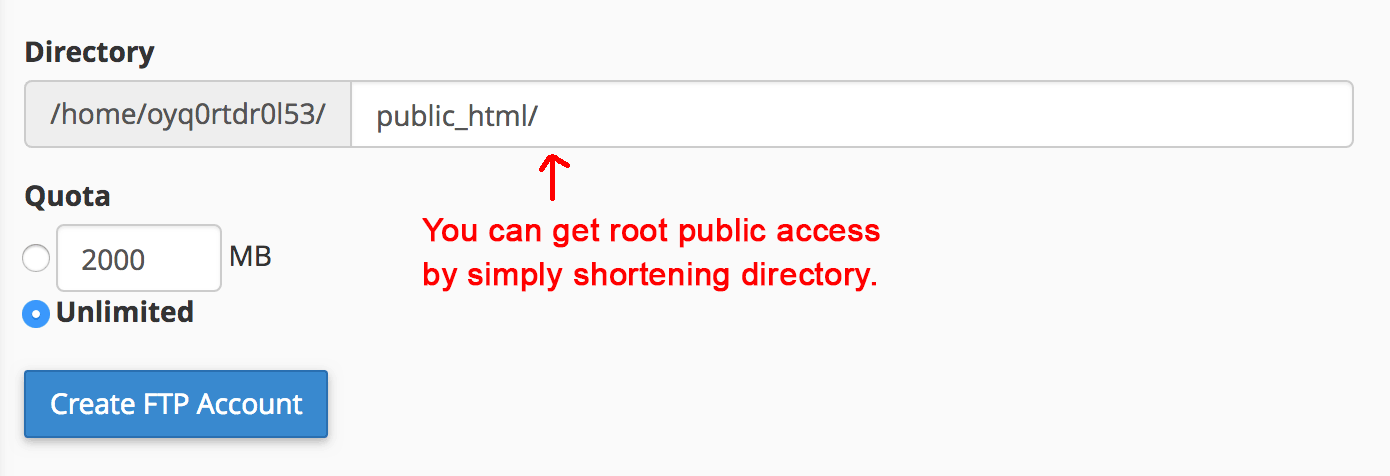
On GoDaddy (or other service) go to > Hosting > cPanel > FTP Accounts. Scroll down to Add User. If your hosting service does not have cPanel (for example, IONOS has its own app) just look for FTP users. You need to give the user access to public_html.
The folder public_html is the folder in which you put files for the public to see. There are some files you will not understand, but please do not delete, move or rename them. For WordPress, most of the files will be in the folders wp-admin, wp-content, and wp-includes. But there are other files like wp-config.php — the most important file in the directory that connects your database to the WordPress package.
NOTE: Some installations of WordPress have set up an additional layer of security by renaming the wp-admin, wp-content, and wp-includes folders. However, you can recognize those folders at the root of the directory.
See screenshot on how to set up a new FTP user directory access. You can make as many FTP users as you want and experiment with how they access folders.